
PATCH verb (deprecated)
In this section you will find a description on how to use the new PATCH verb effectively and what sets it apart from the PUT functionality.
Warning: Current endpoints which implement this verb are experimental and currently available only on the sandbox environment so they are subject to change and possible removal
We are very grateful for all your feedback, please don't hesitate to contact us with more. Reach out to us either by sending an email to [email protected] or post in our forum thread. Thanks from the API team!
1. Usage and examples
PATCH functionality is very similar to an actual PUT operation. The difference is that you only need to provide the fields which you want to update in the request body and not the whole model. Below you can see an example of an actual PUT vs PATCH difference.
Let's take as an example the case when we want to inactivate a customer. This can be achieved in 2 ways.
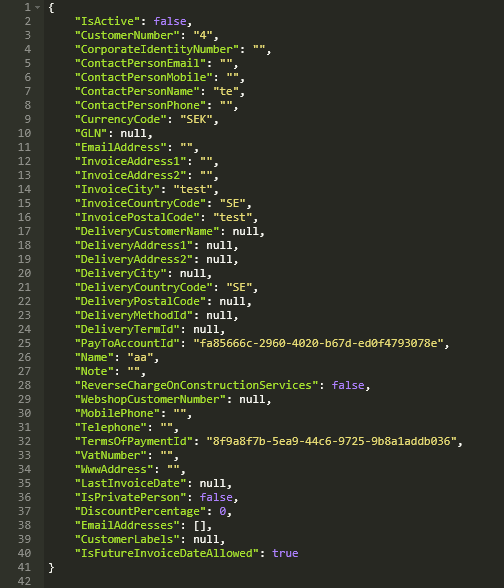
- Using PUT. As you can see in the following image we have set IsActive to false and also entered the rest of the properties too.
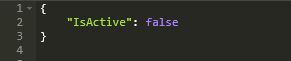
- Using PATCH. Using only the field that we want to update
2. Nested objects and arrays
Certain endpoints use models which contain nested objects or arrays such as rows on invoices or company texts. Let's examine the following example which uses PATCH on the company settings endpoint.
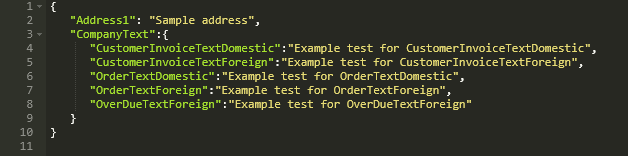
As you can see we are updating the Address field together with CompanyText which happens to be an object. In this use case we are changing the texts of all the 5 properties in this object. If we were to remove one of these properties in the request payload, for example OrderTextForeign, it will be updated as null.
As a conclusion for using PATCH on nested objects, we need to provide the whole nested object unless we want to make some fields null, empty or 0.
The following example illustrates how we can update the unit price on a customer invoice draft row.
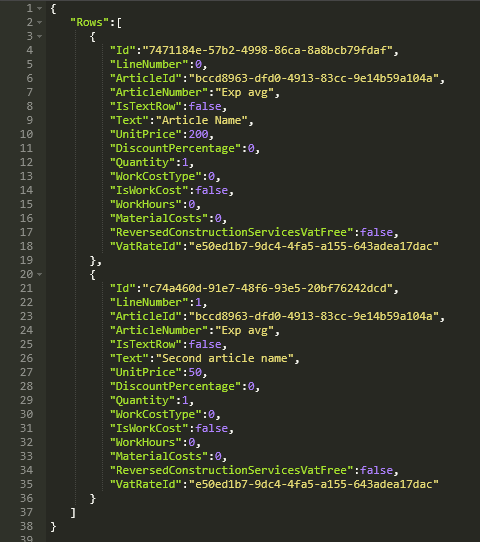
The unit price on the first row has been changed from 100 to 200. Note that the other properties have also been entered, together with the other row, since the same rule as the nested objects apply .
If we would like for example to remove a row, we just need to provide the row/rows in the request body which we want to keep as in the following example.
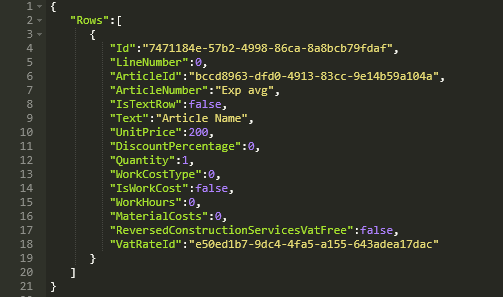
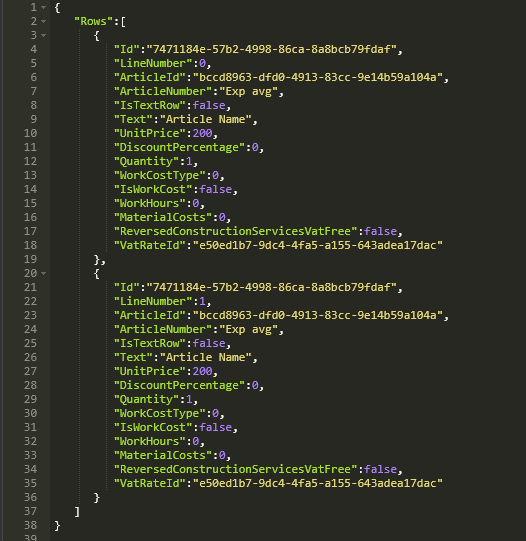
If we want to add a row we need to enter the already existing ones plus the extra one that we want to add.
Updated 10 minutes ago